For model risk management teams
Model Risk Copilot.
Imagine each model document checked in seconds, first drafts written in minutes, and entire inventories updated in hours.
It checks your documentation against SR 26-2 and your bank’s own templates and policy, finds the gaps, and proposes the fixes as tracked changes the owner accepts or rejects. It doesn’t re-engineer your processes.
Check, Repair, Update, Write.
1 CheckConsistency
Find the gaps, each with its reason.
A finished document, checked against SR 26-2 and two of the bank’s own standards. Each check comes back Met, Not met or Couldn’t confirm, with its reason. Check changes nothing in the document.
2 RepairControl
Fix what isn’t met.
Four checks not met. Repair proposes tracked changes for those four, with comments where the files can’t answer. The owner accepts them and checks again.
3 UpdateControl
Bring an SR 11-7 document up to SR 26-2.
When new guidance or a new template arrives, the changes come as tracked changes, just as a colleague would make them. Nothing changes until the owner accepts them. Then the document is checked again.
4 WriteEfficiency
Start a new model’s document from its files.
The model’s code, data, results and notes go in. A first draft comes out in the bank’s template, with comments where the files can’t answer.
Committee slides, from the latest documents.
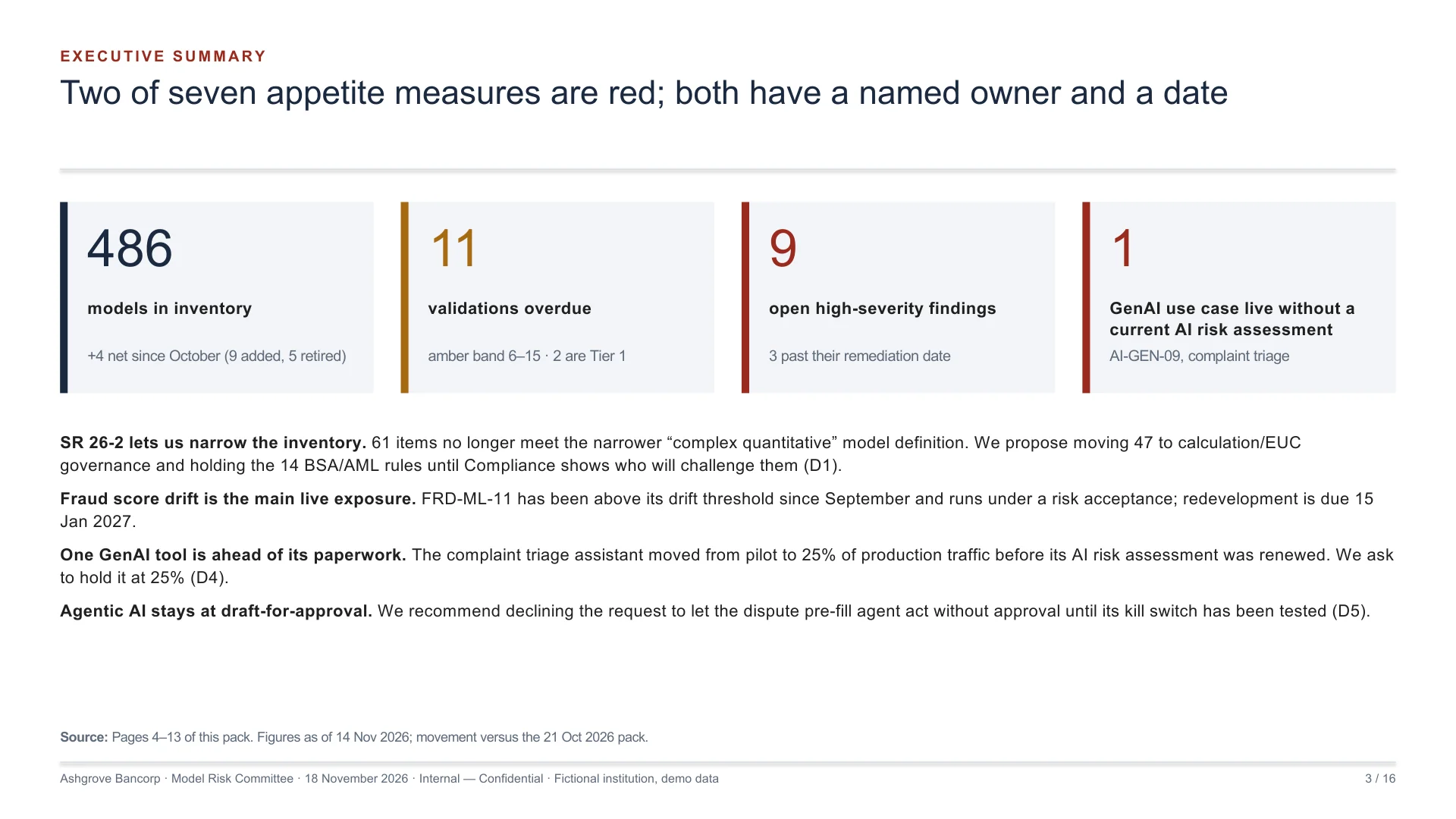
The same work runs in PowerPoint. Give it your committee deck template and the current model document, and it fills the slides from the document and checks them, so the deck says what the document says. When the document changes, run it again.
One view across the model inventory.
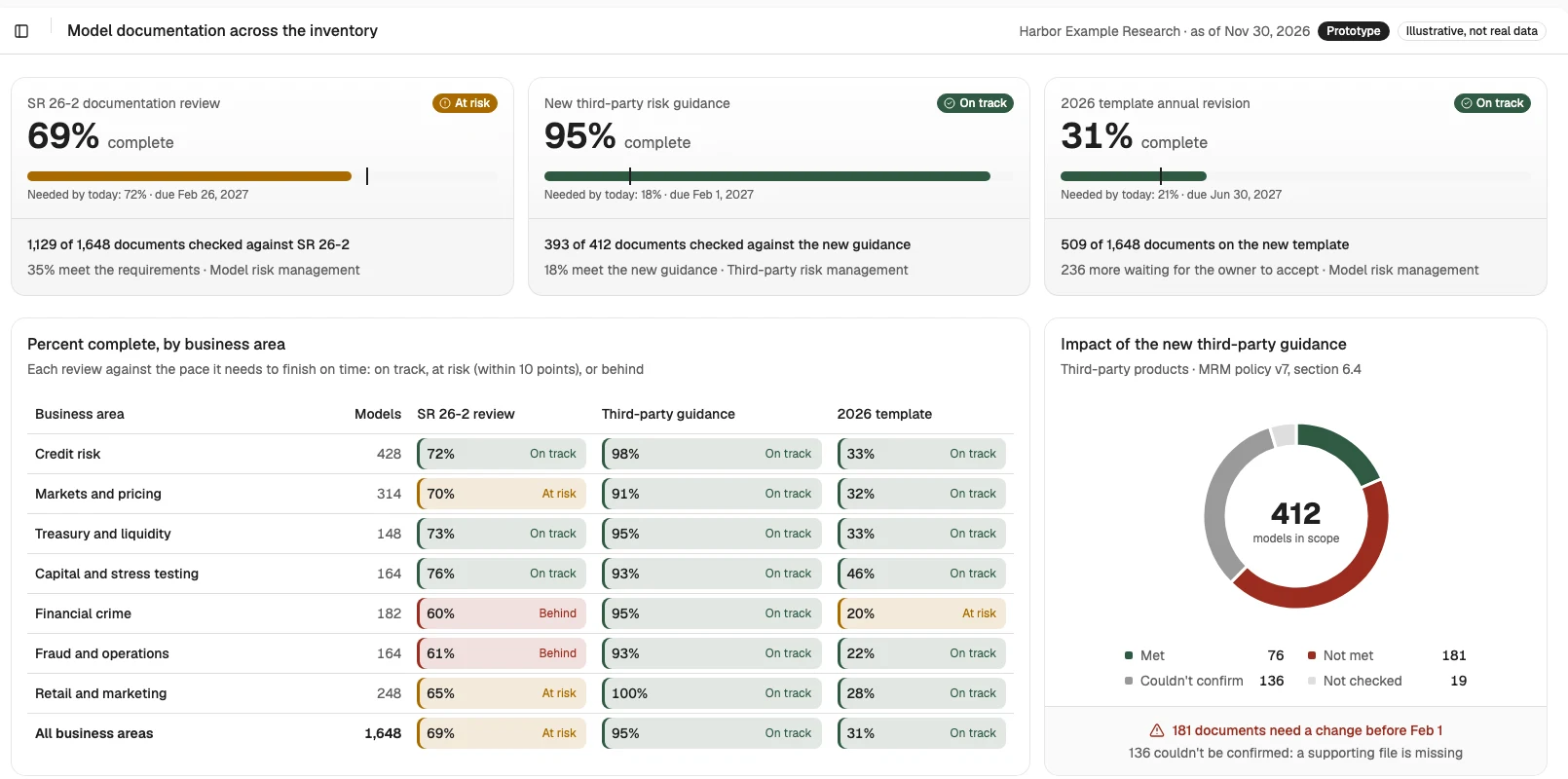
When model risk updates the template or adds a requirement, the dashboard shows how much of the model inventory has been checked against it and how much meets it, by review and by business area. It sits over the inventory you already keep.
Who uses it, and when.
The work starts from a change.
First line
Model owners. A new model, the annual review, a model risk committee meeting.
Check, Repair, Update and Write in Word; committee slides in PowerPoint.
Second line
Validators and template owners. A new template, new guidance, before validation.
Their own independent checks, and Update across the model inventory.
Third line
Internal audit. An audit finding.
Check across the model inventory.
CMRO
The chief model risk officer. Any time.
The dashboard: every review across the inventory, in one view.
A year of changes
- Jan
Model risk publishes the 2026 template.
Update
- Mar
A new model goes in.
Write
- Apr
New guidance: SR 26-2 replaces SR 11-7.
Update
- Jun
The model risk committee meets.
Committee slides in PowerPoint
- Sep
Internal audit raises a finding.
Check across the inventory
- Nov
Annual reviews come due.
Check, then Repair
Bespoke to your bank.
We set it up with your model risk team. Your templates, policies and procedures become the checks. Together we map which lines and roles use it and for what, who sees which findings and when, and the names you already use for roles and documents. It fits how you run model risk; it doesn’t change it.